Deepnote research: our notes on building agents
Get started

Run an R notebook online and share your analysis

Explore data with R, create plots, and explain the results beside your code. Deepnote gives you a browser-based workspace for keeping an analysis together and sharing it with your team.

Start with a dataset or bring an existing notebook. Work through your calculations, inspect the outputs, and give others the context they need to understand your findings. No local R installation is required.

Data teamLife expectancy EDAJKAMShare
summary_2007 <- gapminder %>%
  filter(year == 2007) %>%
  group_by(continent) %>%
  summarise(median_life = median(lifeExp))
summary_2007
continentchr
Africa20%
Americas20%
3 others60%
median_lifedbl
52.9 – 80.7
1Africa52.93
2Americas72.90
3Asia72.40
4Europe78.61
5Oceania80.72

Work through an R analysis in one place

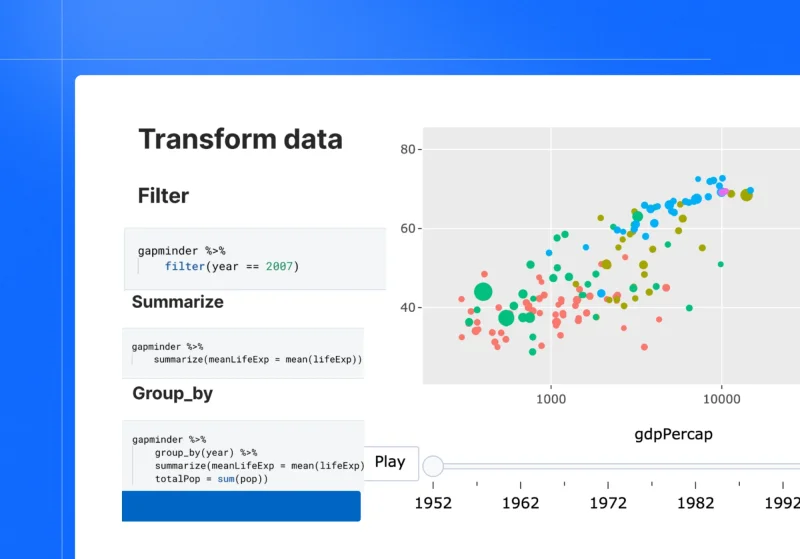
Keep the source data, transformations, plots and interpretation together. R notebooks let you develop an analysis in visible steps, so another person can follow how you reached a conclusion.

Explore a distribution, compare groups, or investigate a pattern over time. Add an explanation where a choice affects the result, such as excluding missing values or changing the population you analyze.

Choose R environment your analysis needs

Select an available R environment when setting up your project. Check the runtime and required libraries before you begin, and add the data your code uses. Your analysis runs in the hosted environment while you work through your browser.

EnvironmentProject settings
Image
install.packages("gapminder")
library(gapminder)
library(ggplot2)
ggplot(gapminder,
       aes(gdpPercap, lifeExp)) +
  geom_point(alpha = 0.4) +
  scale_x_log10() + theme_minimal()
4060801e+031e+041e+05gdpPercaplifeExp

Work with familiar R packages

Load installed packages with library() and add missing packages with install.packages(). Packages that depend on system libraries may need additional environment configuration.

Use libraries such as ggplot2 to create plots alongside the calculations they illustrate. Keep the transformation code visible so readers can understand what the chart represents.

Make your analysis easier to reproduce

Record the data source, runtime and package versions, along with the assumptions behind your calculations. Run the notebook from a clean environment to check that it works in the intended order.

For analyses that need specific dependencies, configure a custom environment. Project history helps you revisit earlier work; reproducible results also depend on the data and environment used to run it.

Version history
Ana Morales executed a notebookRan 12 blocks from a clean environment · all outputs matchedView run
Deepnote autosaved a version2 hours agoPreview
Jonas Keller modified a notebook2 hours ago in Run
Jonas Keller executed a notebook3 hours agoView run

G2 Leader in Data Science and Machine Learning

Deepnote is recognized as a Leader and a Mid-Market High Performer in G2’s Data Science and Machine Learning Platforms category.

G2 Leader badge, Fall 2026G2 Mid-Market High Performer badge, Fall 2026
10/14/2025

Effortless Collaboration and Real-Time Editing with Deepnote

“Deepnote makes collaboration on data science and research projects effortless. I really like its real-time editing, version control, and easy cloud-based setup. It’s great for teaching, code reviews, and sharing results without complex configuration.”

Read the full Deepnote review
Muhammad S.Postdoctoral Researcher
01/23/2026

Reproducible experiments and analysis with Deepnote

“Moving to Deepnote has transformed how we collaborate and share analysis, research, and experiments at PredictAP. The integrations allow us to connect to different data sources and easily run analysis with the help of AI-generated scripts. Notebooks are easily accessible, making experiments more reproducible without the overhead of setting up developer environments.”

Read the full Deepnote review
Verified UserComputer Software
10/14/2025

Great Collaboration and AI Features

“I love that Deepnote enables me and my team to share work and collaborate, thus building off of each other's strengths. I have loved the AI automations on Deepnote that enable me to ask a question in natural language and for Deepnote to generate working code for me to run out of the box.”

Read the full Deepnote review
Isaac L.Senior Data and AI Analyst

See an R notebook example in action

Follow an experiment from raw data to a shared results app. Connect your data, analyze it with R and AI, and help your team understand what changed.

Experimentsexperiment-analysis
PostgreSQLVariable:DataFrameresults
1SELECT participant_id, experiment_group,
2 date, converted
3FROM experiment_results
4WHERE experiment = 'checkout_v2'
participant_idexperiment_groupdateconverted
11042Control2026-10-010
21043Variant B2026-10-011
31044Variant B2026-10-020
41045Control2026-10-021
51046Variant B2026-10-031

Built with R in Deepnote

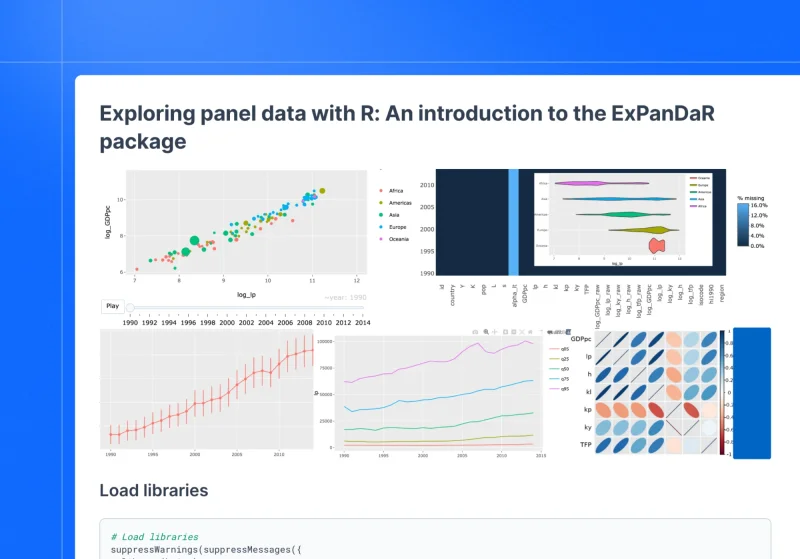
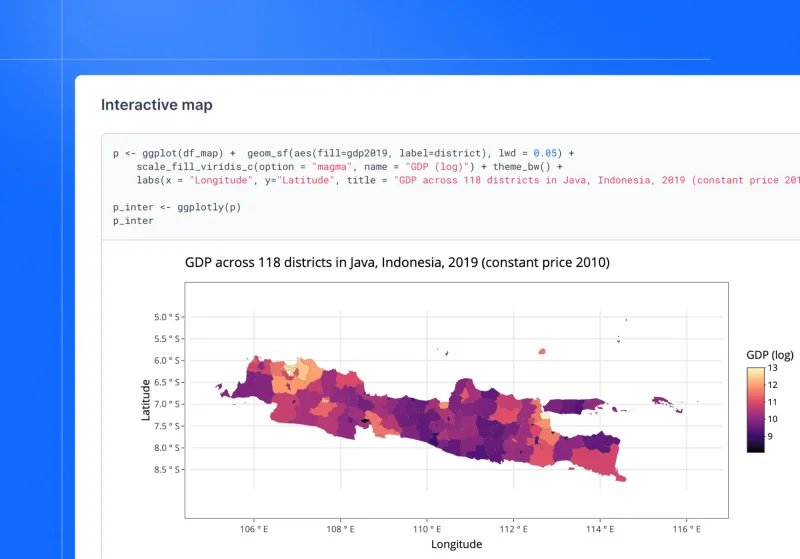
See how our community members use R notebooks to investigate data, from changes over time to regional patterns.

Turn your R notebooks into an agent workspace

Deepnote Agent Workspace combines notebooks, data connections,
and business knowledge so agents can work with your data’s context.

Work from anywhere

Connect through Cursor, Claude Code, Codex, and other MCP-compatible tools. Access Deepnote notebooks and data within existing permissions.

Deploy always-on analytical agents

Schedule notebook workflows or trigger them through the API. Automate reports, data checks, and recurring analyses.

Build your context layer

Keep metric definitions, assumptions, analysis steps, and business context alongside your code. Turn trusted work into reusable skills, agents, and data apps.

Share the context behind your R results

Give teammates a way to inspect the code, plots and reasoning in the same place. Use project sharing settings to choose who can access the analysis and what they can do.

Make findings easier to review

Explain the scope of your conclusion: the sample, time period, missing values or assumptions that affect it. Keep that context beside the relevant output so readers can assess the finding before using it elsewhere.

Choose the right access

Link sharing can allow people to read a project without creating an account. Executing blocks requires signup and the appropriate permissions.

Go deeper with R in Deepnote

Find the setup and sharing instructions for your next analysis:

R notebook FAQ


Explore your next dataset with R

Bring your data, and keep your code, plots and interpretation together. Build an analysis that your team and agents can reuse.