PostgreSQL
Setup
Open Integrations from the workspace sidebar, select PostgreSQL, and enter your database connection details:
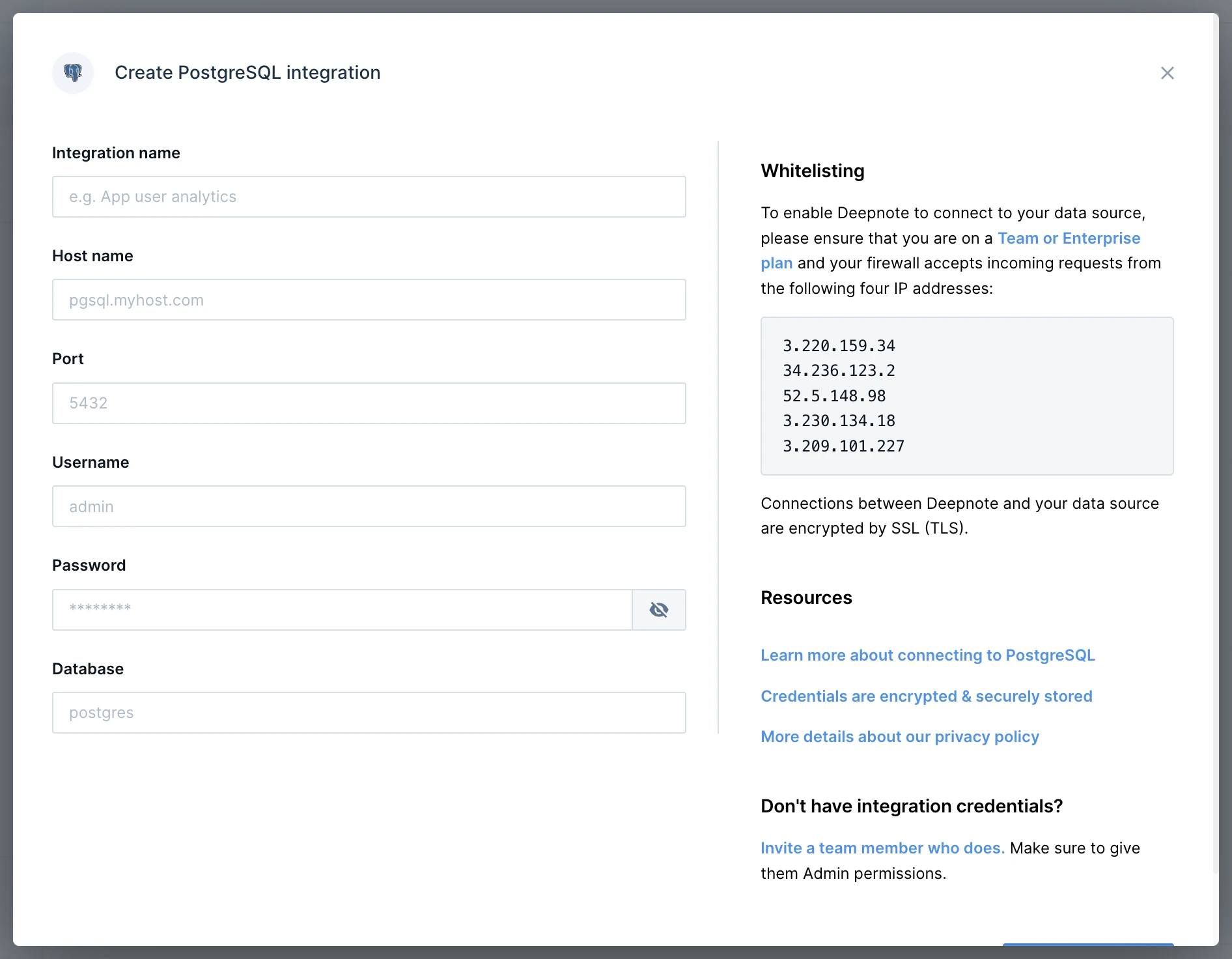
After creating the integration, connect it to your project when prompted. You can also select it when adding a SQL block.
Authorizing Deepnote's IP addresses for security reasons
Usage
To query your PostgreSQL database, click SQL in the toolbar below the notebook and select your integration. This adds a SQL block.
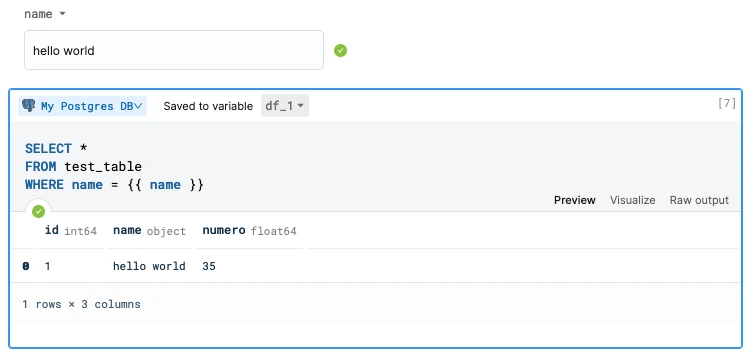
Use a text input block to pass a value into your SQL query. In this example, {{ name }} uses the input value hello world.
Advanced usage
To connect from Python, use the environment variables generated from your integration name:
<INTEGRATION_NAME>_HOST<INTEGRATION_NAME>_DATABASE<INTEGRATION_NAME>_PORT<INTEGRATION_NAME>_USER<INTEGRATION_NAME>_PASSWORD
Replace MY_INTEGRATION below with the prefix generated from your integration name. For example, an integration named My Postgres DB uses MY_POSTGRES_DB.
import psycopg2
import os

try:
    connection = psycopg2.connect(
        user=os.environ["MY_INTEGRATION_USER"],
        password=os.environ["MY_INTEGRATION_PASSWORD"],
        host=os.environ["MY_INTEGRATION_HOST"],
        port=os.environ["MY_INTEGRATION_PORT"],
        database=os.environ["MY_INTEGRATION_DATABASE"])

    with connection.cursor() as cursor:
        cursor.execute("SELECT version();")
        record = cursor.fetchone()
        print("You are connected to - ", record)

except (Exception, psycopg2.Error) as error:
    print ("Error while connecting to database", error)
Use connection.cursor() to run further queries. For pandas, create a SQLAlchemy engine so read_sql_query uses a supported connection type:
import os

import pandas as pd
from sqlalchemy import create_engine
from sqlalchemy.engine import URL

url = URL.create(
    "postgresql+psycopg2",
    username=os.environ["MY_INTEGRATION_USER"],
    password=os.environ["MY_INTEGRATION_PASSWORD"],
    host=os.environ["MY_INTEGRATION_HOST"],
    port=int(os.environ["MY_INTEGRATION_PORT"]),
    database=os.environ["MY_INTEGRATION_DATABASE"],
)
engine = create_engine(url)

with engine.connect() as connection:
    df = pd.read_sql_query("SELECT * FROM users", connection)

df
Secure connections
Use Enforce SSL encryption or Use SSH in the connection form to configure secure connections.