Run snapshots
Every notebook run creates an immutable snapshot you can review anytime
Every time you run a notebook, Deepnote automatically creates an immutable run snapshot. This frozen record shows the notebook's state when the run completed. You can revisit any past run without executing it again.
What's captured
Each snapshot includes:
- All blocks and outputs: The full notebook content as it appeared after execution
- Execution metadata: Who triggered the run, when it started and finished, and how they triggered it (manually, via schedule, or through the API)
- Execution summary: The total block count, how many succeeded or failed, and the duration
Where to find snapshots
You can access run snapshots from four places:
- Runs sidebar: Click Runs in the project top bar to open a sidebar that lists recent runs with status indicators. Click any run to view its snapshot.
- Project logs: The history tab shows past executions. Runs with available snapshots display a View run button.
- Logs & Analytics modal: Open the project top bar context menu and select View analytics to see execution history and open snapshots.
- Version history: Past runs also appear in your notebook's version history, where you can open the read-only snapshot.
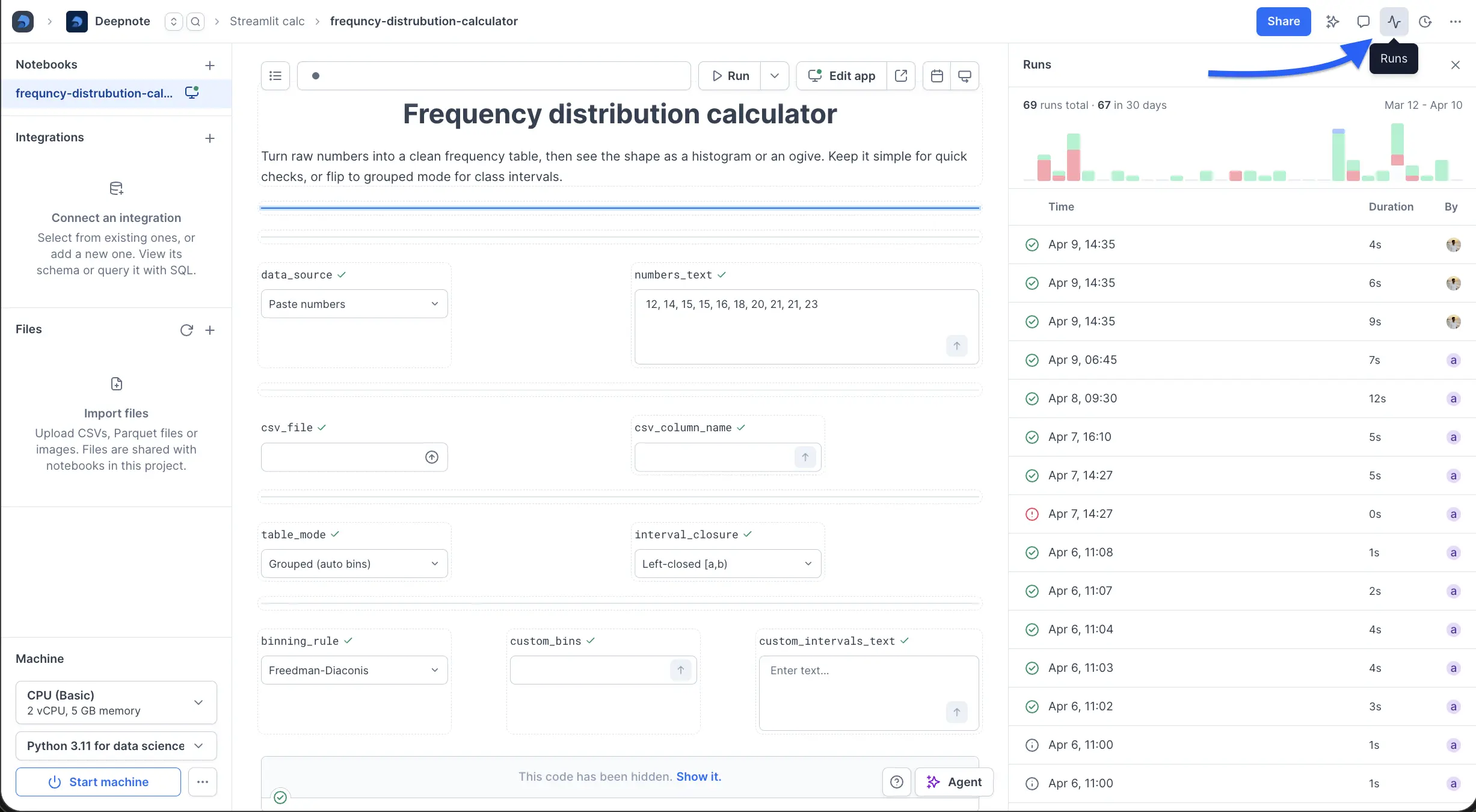
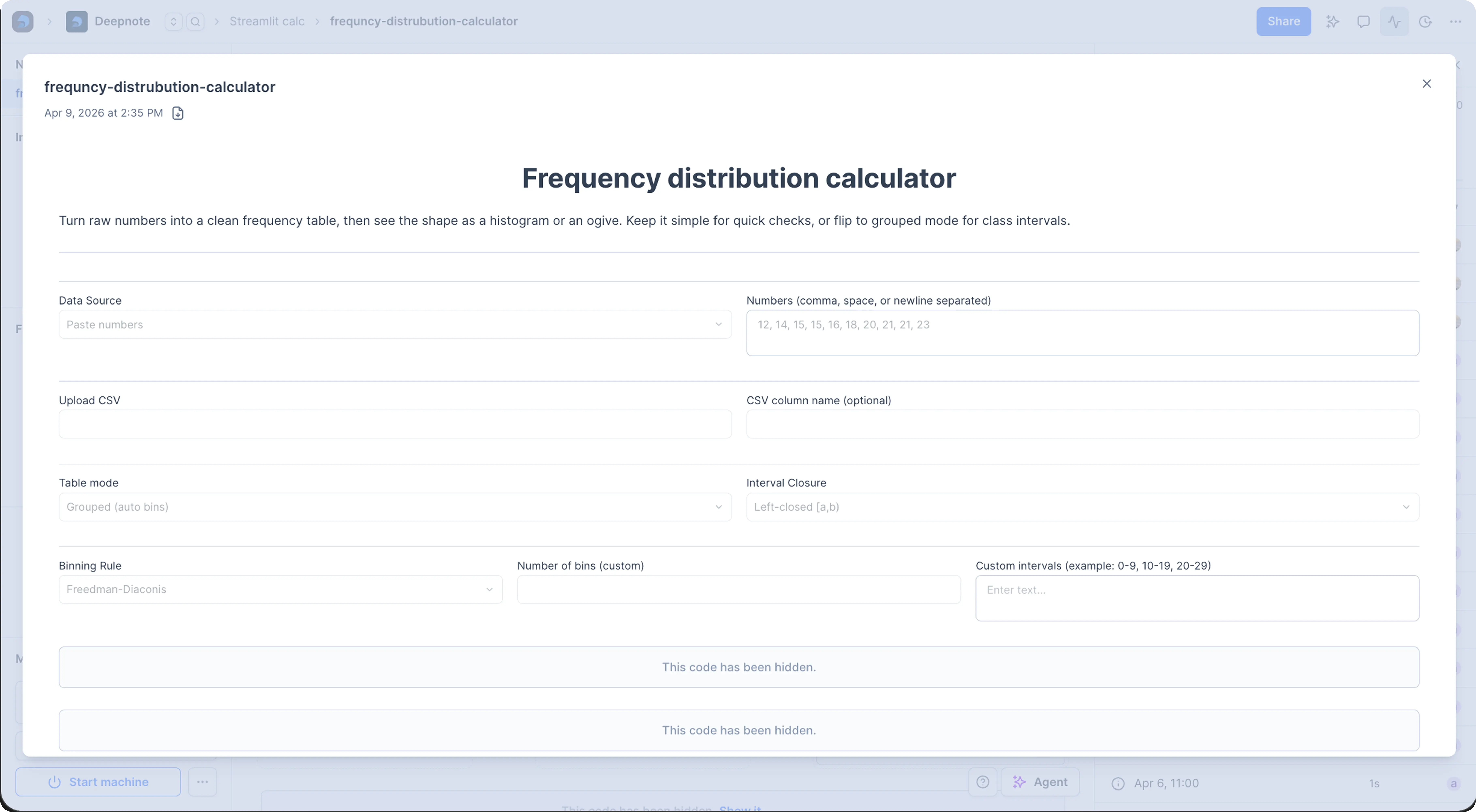
When you open a run, Deepnote displays the immutable snapshot in a modal so you can inspect the notebook exactly as it looked when that execution finished.
Each snapshot has its own URL, so you can link a teammate straight to a specific run, and you can download a snapshot to keep a local copy. How long snapshots are retained depends on your workspace's retention tier.
Use cases
- Debug failed scheduled runs: See what happened when a notebook failed overnight, including which block produced an error and what the outputs looked like before the failure
- Audit trail: Review who ran a notebook and when, with the output history across manual, scheduled, and API-triggered runs
- Collaboration: Send teammates a link to a run's results instead of asking them to execute the notebook again